Multi-Channel Communication
Private group chats · Word of mouth · Remind · Email chains
This project aimed to design a system for a messy but working high school student-run activity group. At first, we were told by the client that a centralized ticketing system was what they wanted. However, after our own research, we realized that the solution to the situation could be as simple as a Google-based documentation system. Students showed great leadership in running the program, so why didn’t we trust them more to organize and routinize the experience in this meaningful project?
STAP, a student-run IT department at Beaver Area High School, has asked us to design a ticketing system for them. It sounds pretty straightforward. What could go wrong, right?
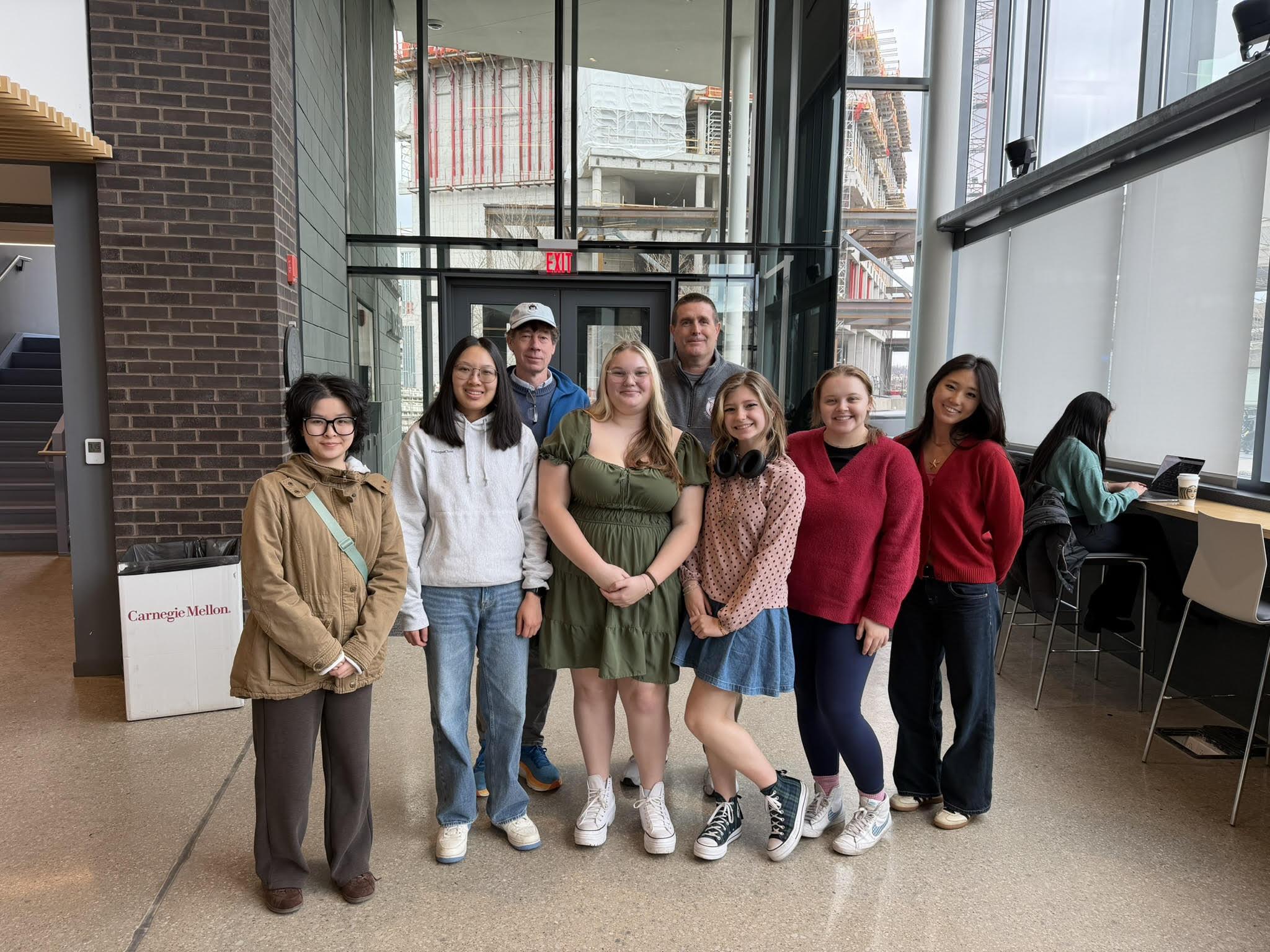
To figure out what's wrong, we conducted 4 competitive analyses, 5 survey responses, and 13 interviews. We visited the high school and interviewed student technicians and teachers. Joe showed us Zammad, the commercial ticketing tool he still used. Most of STAP had abandoned the tool, going back to emails and even word of mouth. New technicians learned repair procedures from older students because those procedures weren’t properly documented.
So, what's STAP like?
Select a stakeholder to see their role and where they sit in the system.
Ok, so we all know what's STAP like. How does STAP work?
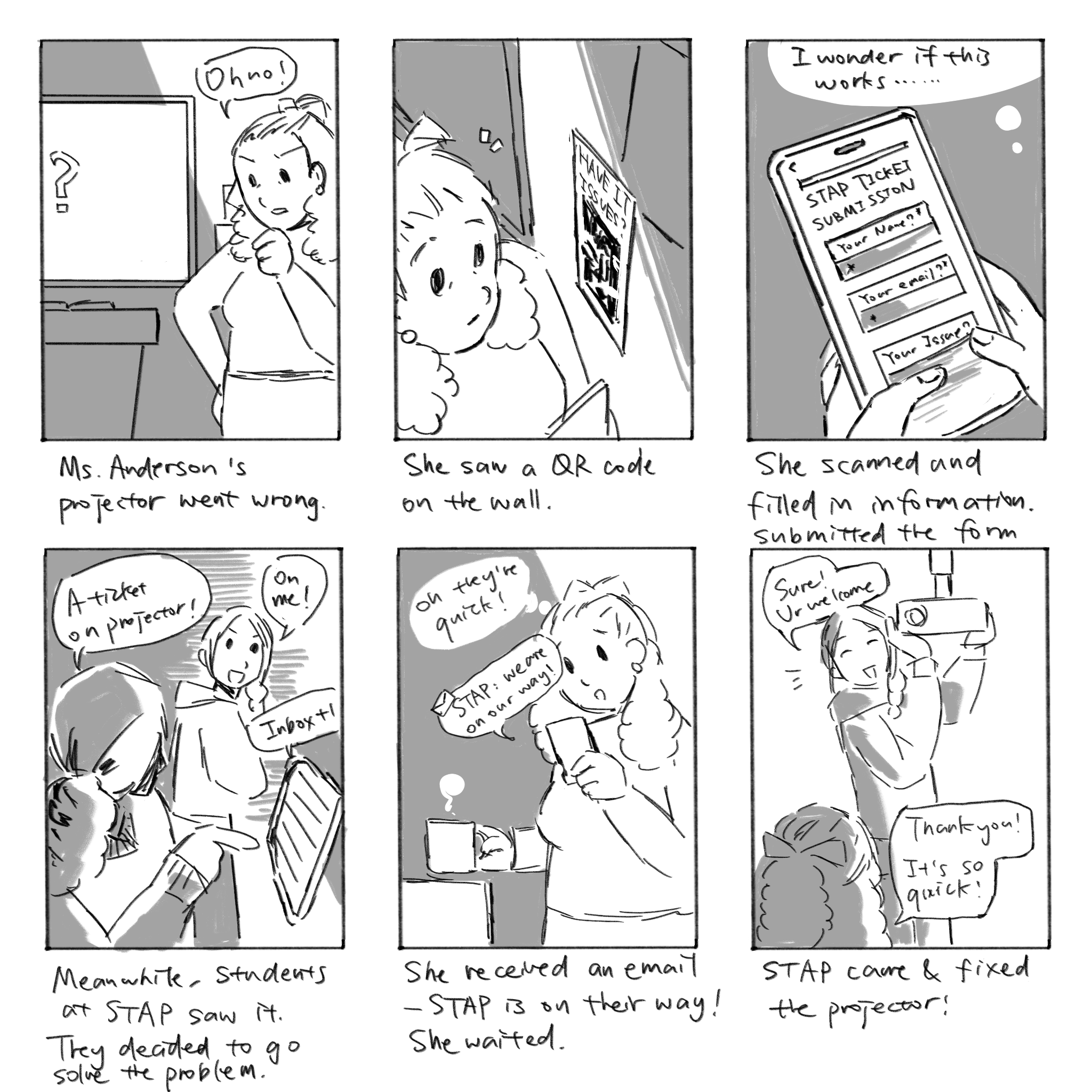
Intended vs. worst-case scenario.
Realizes there is an issue with a device they are trying to use.
Thought“Oh no! My projector is broken. I need someone to fix it for me.”
ActorsIn this case, we all get that STAP's service quality is highly unstable and overly dependent on teachers', faculty's and students' behaviors and responsibilities. We can summarize the situation with 3 research insights.
Private group chats · Word of mouth · Remind · Email chains
Internal and external communication issues lead to confusion and frustration.
Private group chats · Word of mouth · Email chains · Student-built system · Abandoned 3rd party ticketing systems
High school users need familiar tools and intuitive workflows, not complex systems.
Middle school elective classes · Rigorous interview process
A lack of documentation leads to sustainability failure.
As messy as it seemed, we realized that the problems might have a clean and concise solution. It was not exactly what the client expected, so we needed to demonstrate why that was right.
During the school visit, we met a department head who was in charge of the elementary school. They told us that they simply use a google form and google sheet combo for tracking the tickets. It actually worked, it was just not applied to everybody in STAP yet.
“So why don’t we all just use google…” before the question, we tried to come up with a plan to help the program to foster this “simple solution” instead of throwing a Google Suite on the table.
Here's the plan.
When teachers face an IT issue, instead of contacting anyone, they fill in a google form to report their issue to STAP.
When it gets to STAP, the ticket will be automatically created in a Google Sheet, with categorization, making it easy for the technicians to assign themselves.
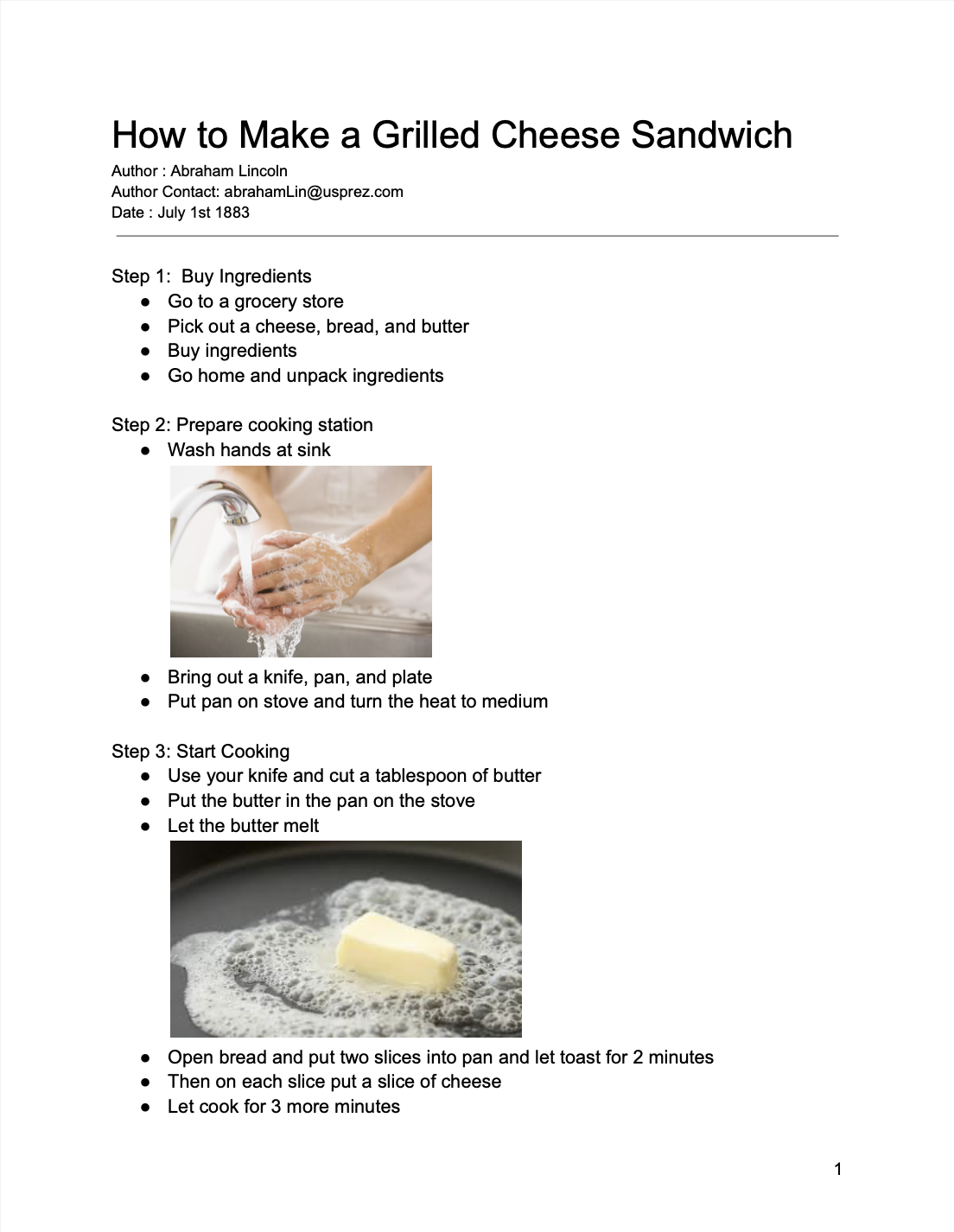
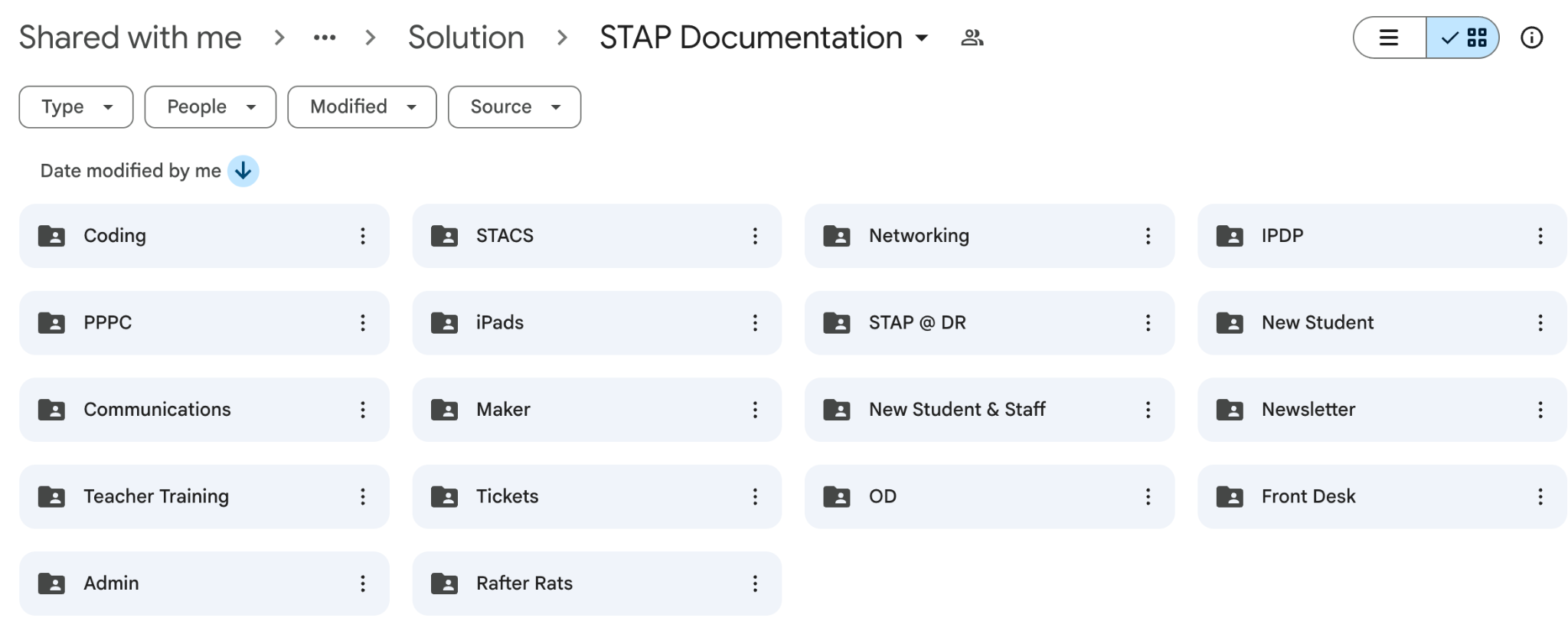
When the technicians finish their job, they can check if similar issues have been documented. If not, they will document the routine of solution in the drive for later reference.
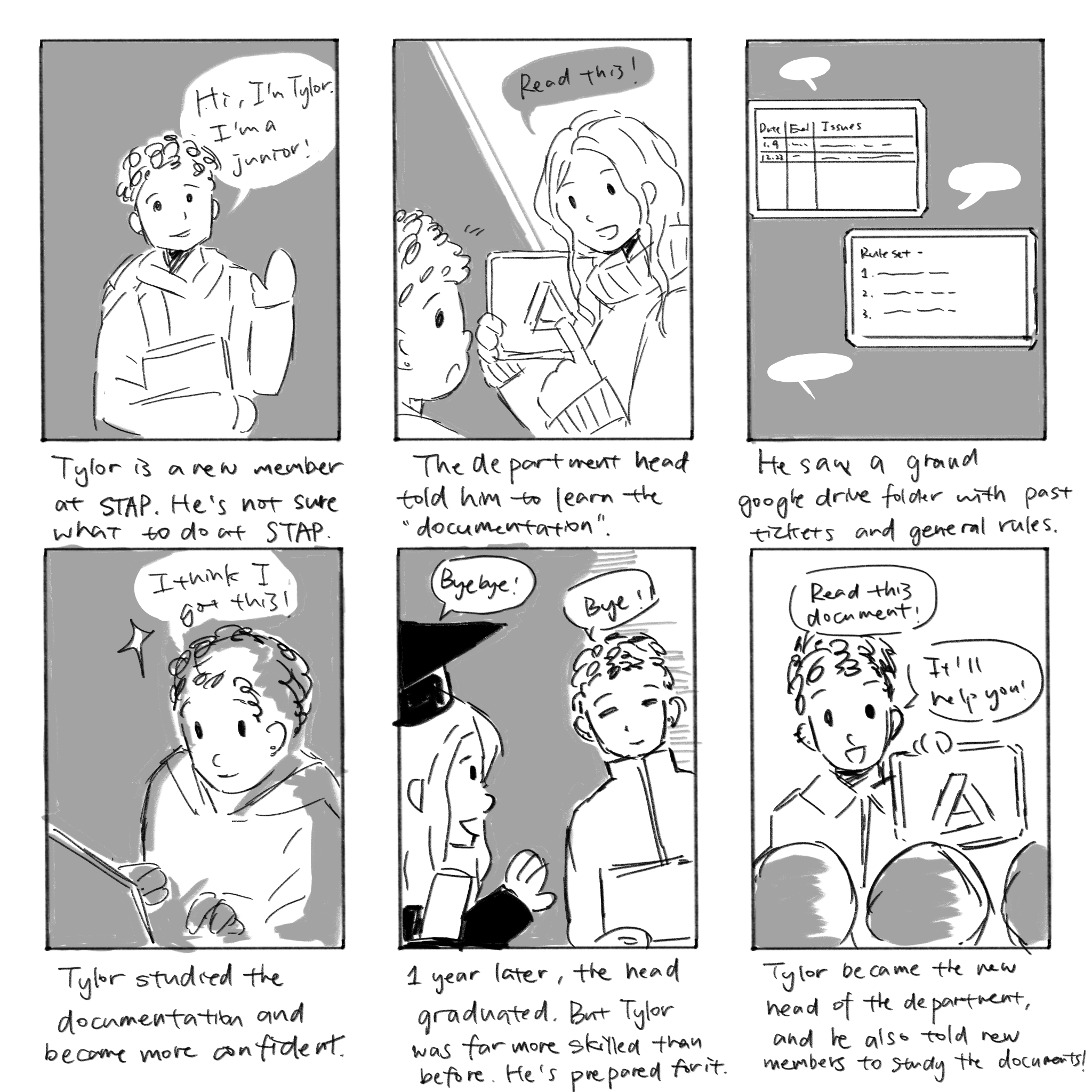
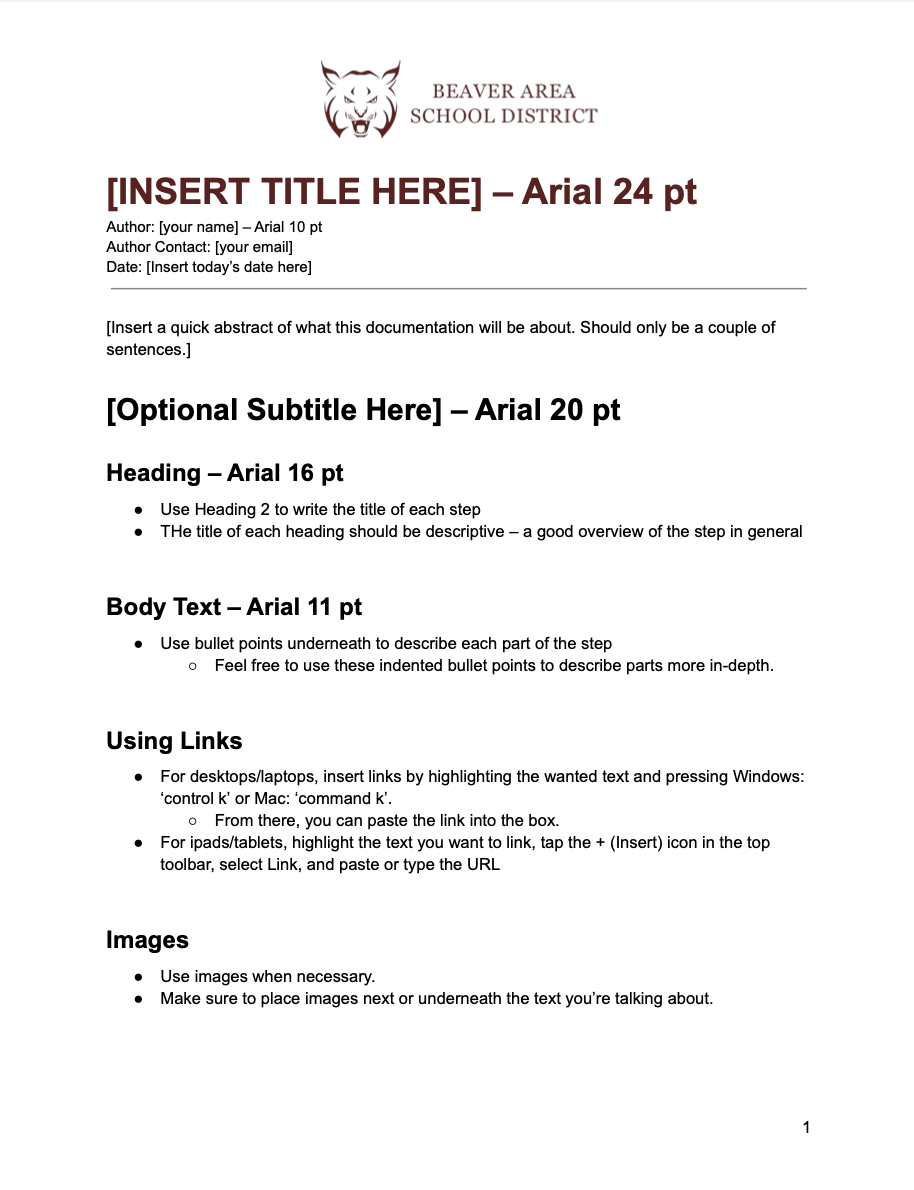
We also assigned our student clients a task to create a template for the documentation so other members would follow them.
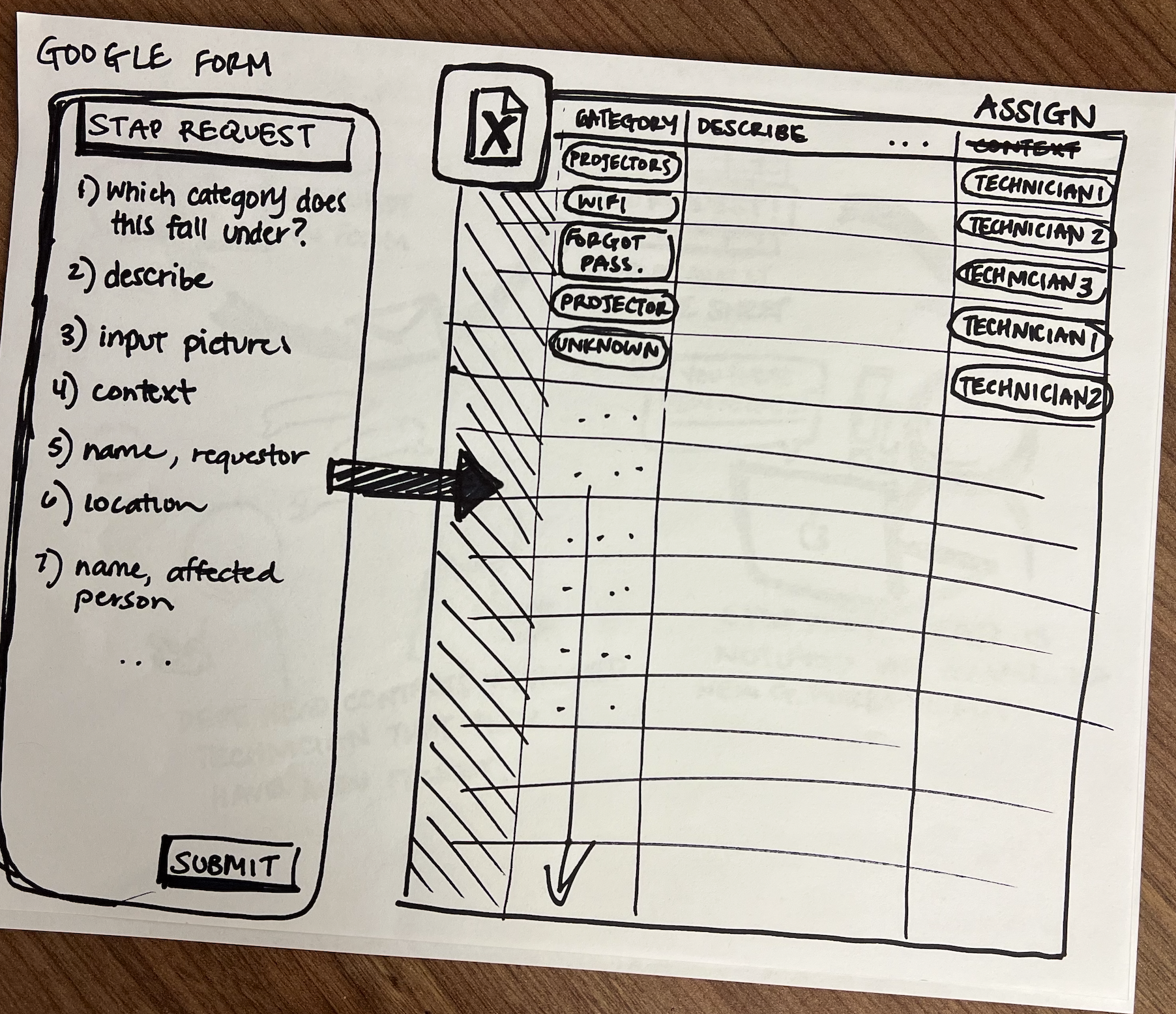
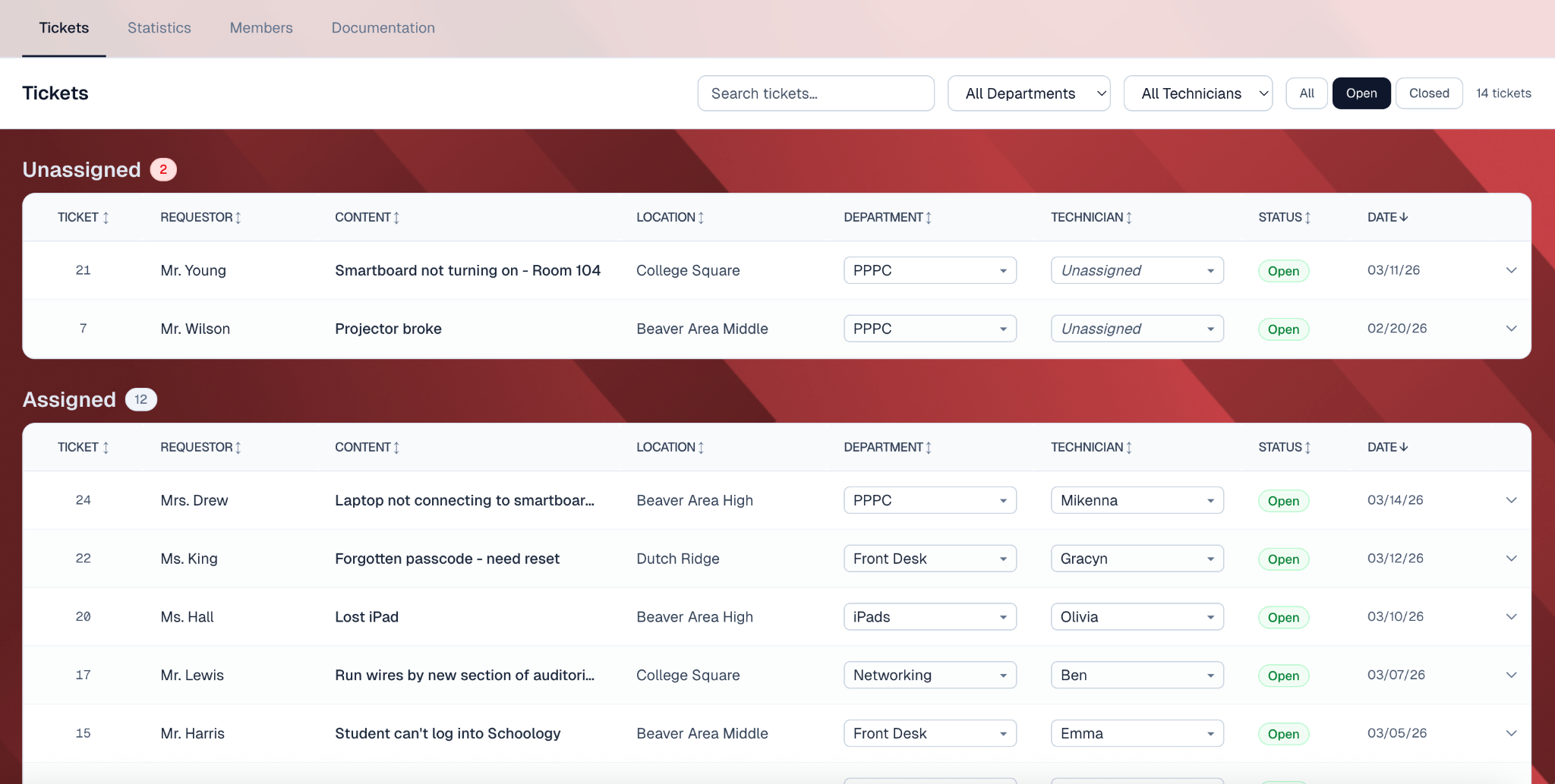
We followed our preliminary plan of developing based on google suite, where the ticket came in from a google form. The requestor’s input would be displayed on the google sheet. Then the STAP members would assign technicians to each of the tickets.
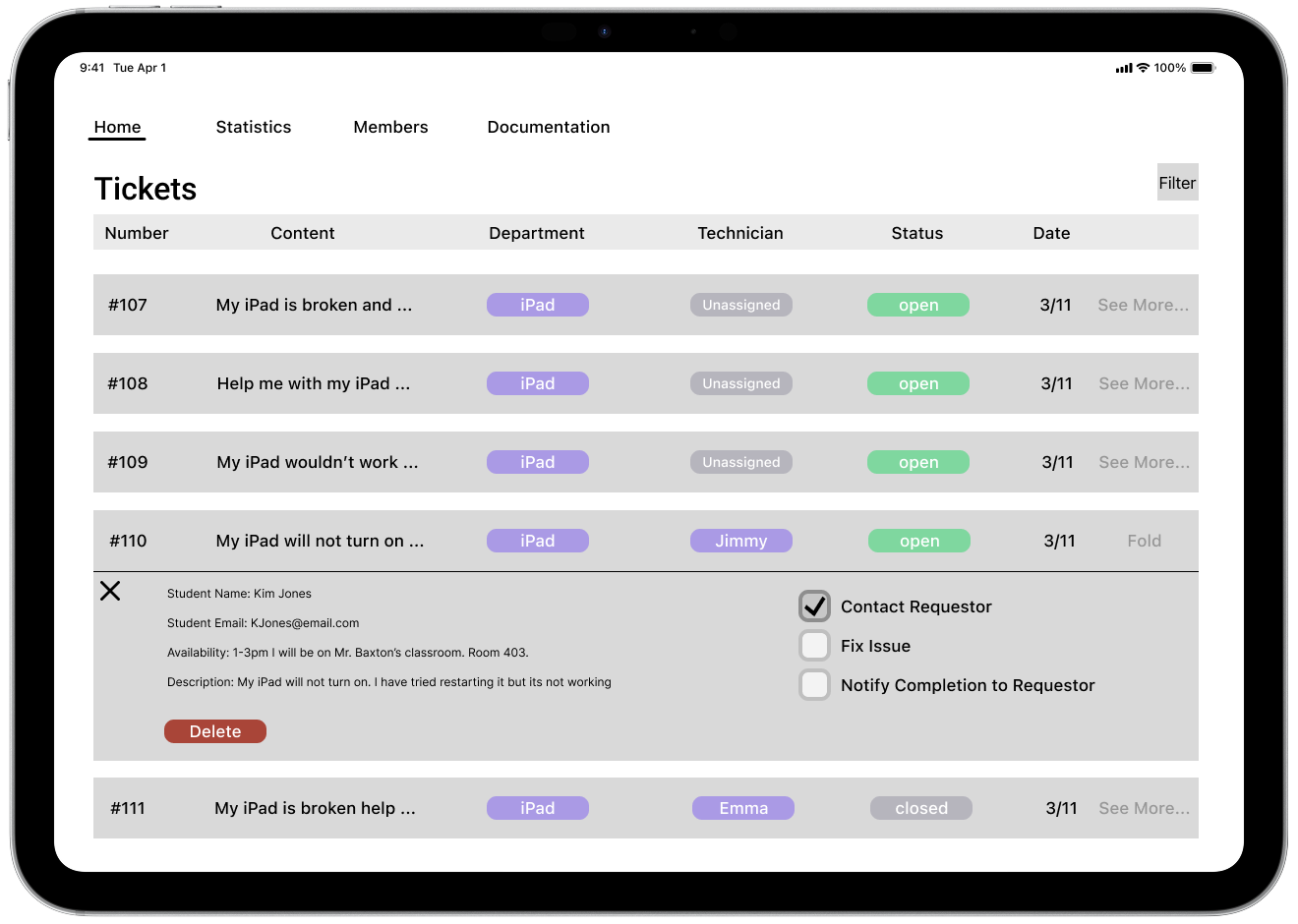
Feeling good about the low-fi, we pushed towards the Mid-fi Prototype. We specified the inputs we would want from the requestors, and aligned them in the ticketing list. We designed with the idea that most students can only access iPad during school time in mind.
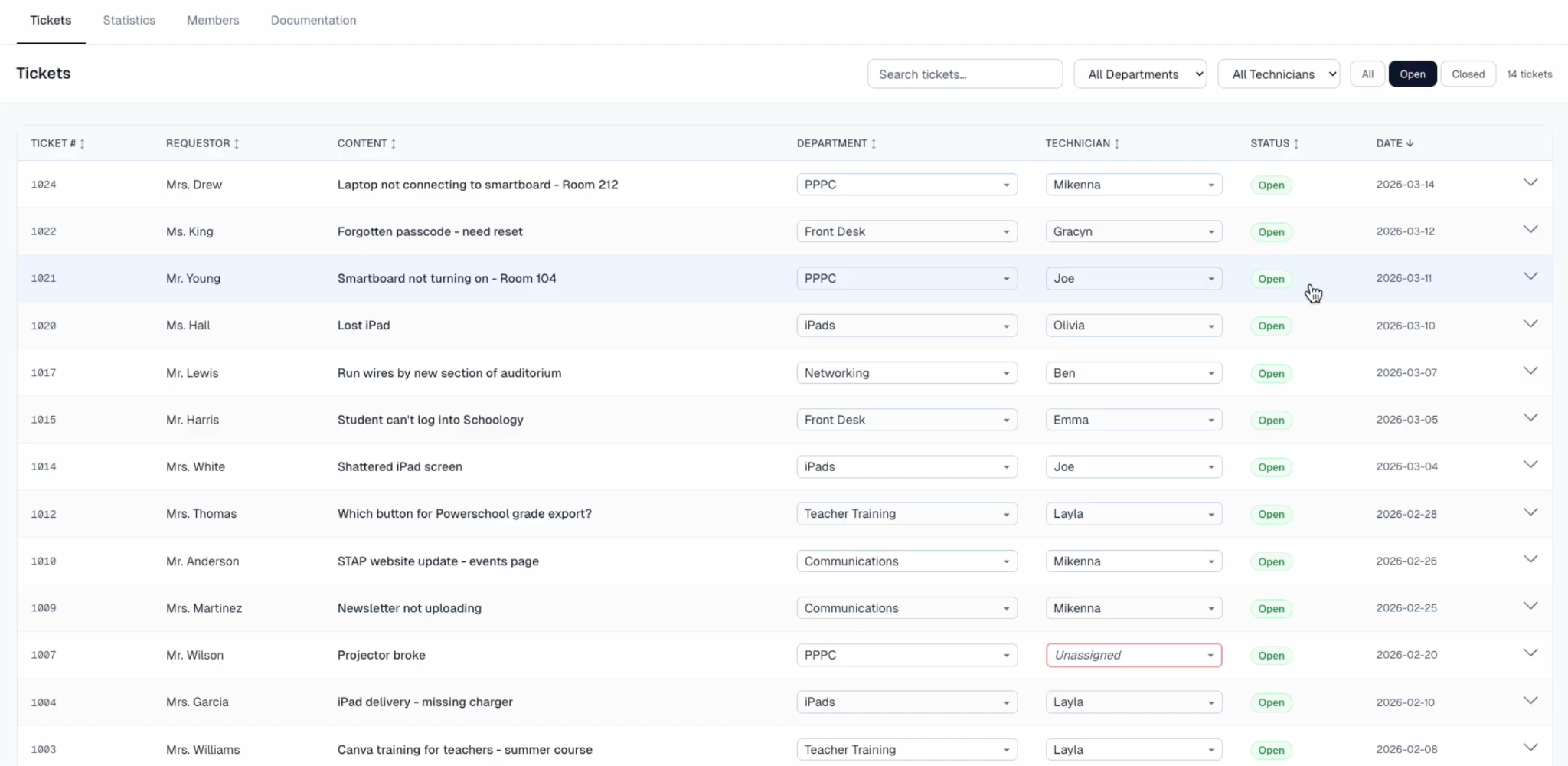
After another round of feedback, we moved into the vibe coding phase. This was a fake front end prototype which performed like a real website. We updated the fidelity of the design, and also added some more possible input information to the list.
At the final round, we received the feedback that the last prototype is not quite adapted to an iPad screen. We readjusted the prototype to better fit the iPad view and also added a signature red color to the background.
Explore the final prototype ↗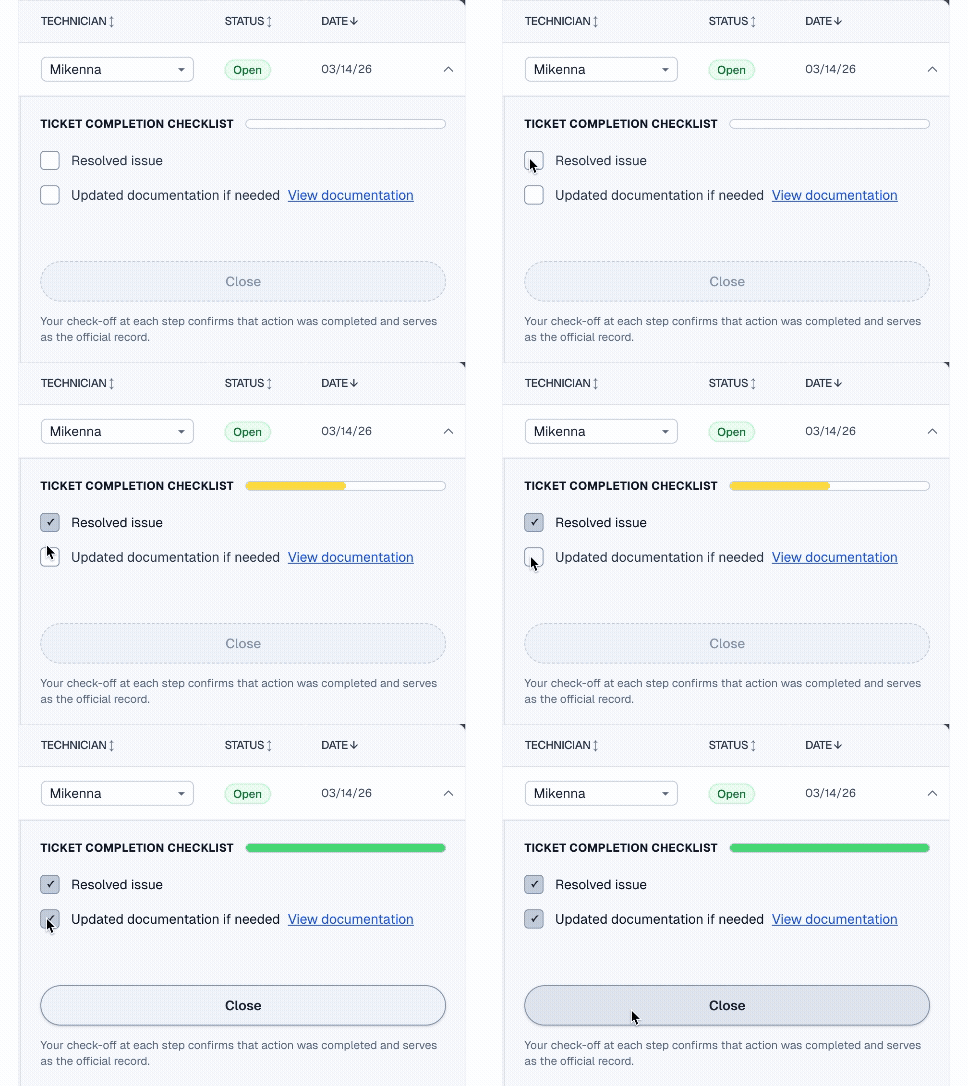
Each submission and status change sends a receipt email automatically, so teachers can see progress in real time without starting another email thread.
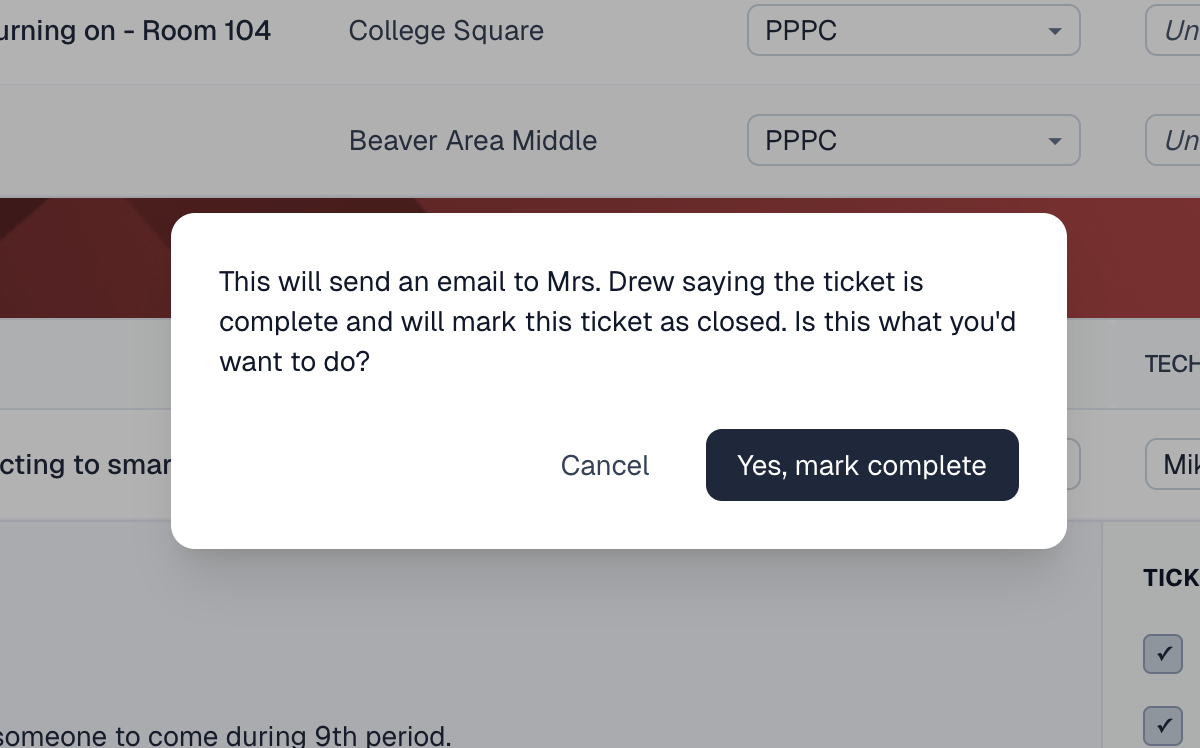
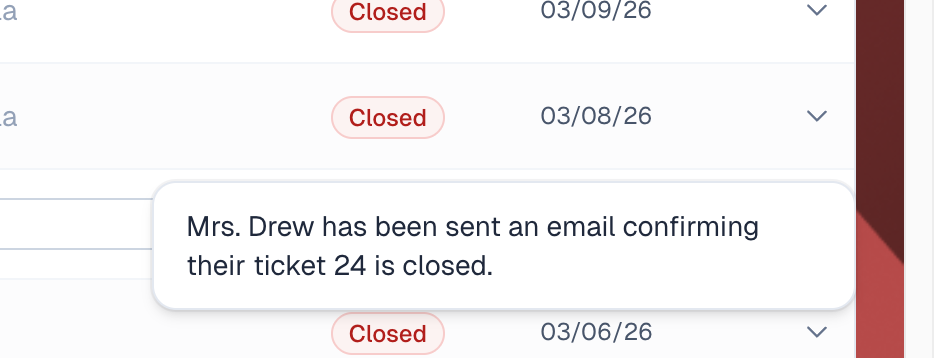
An internal owner and deadline stay inside the ticket. Students can coordinate through familiar fields without learning another system or adding extra mental steps.
The completion checklist reminds students to document a solution while it is still fresh. Documentation becomes a quick part of closing the ticket, not a separate project saved for later.
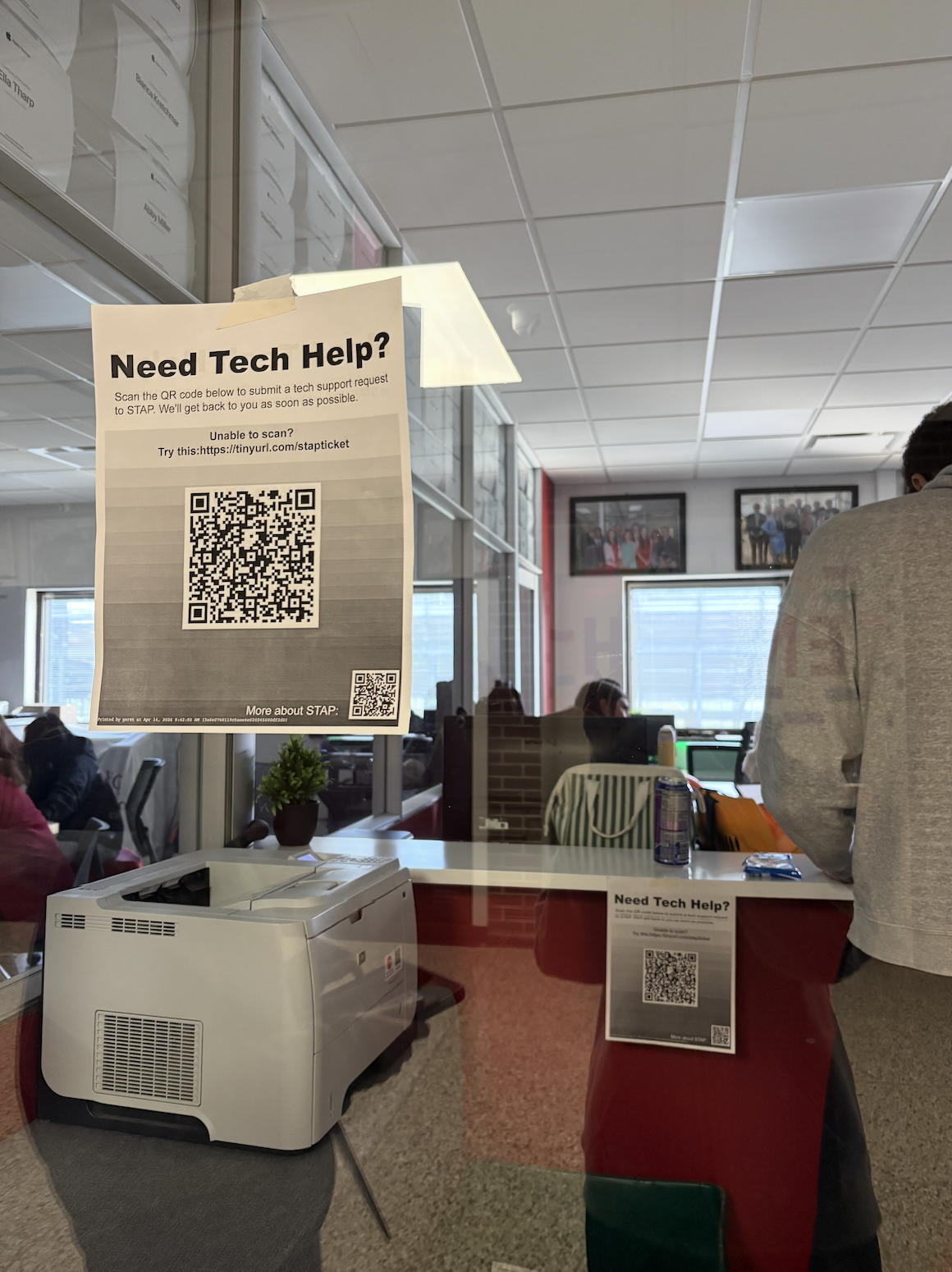
It’s Spring. We made another visit to the school. This time with dozens of flyers, printing with the QR code linked to the request form. We handed over the access of the google folder to STAP members. Based on the basic structure we created, our student clients took the project from us and would continue to maintain and further develop it.
STAP itself is a great opportunity for high school students to develop their technology and organization skills. Eventually, we are very grateful we have the chance to help them build a more structured system.